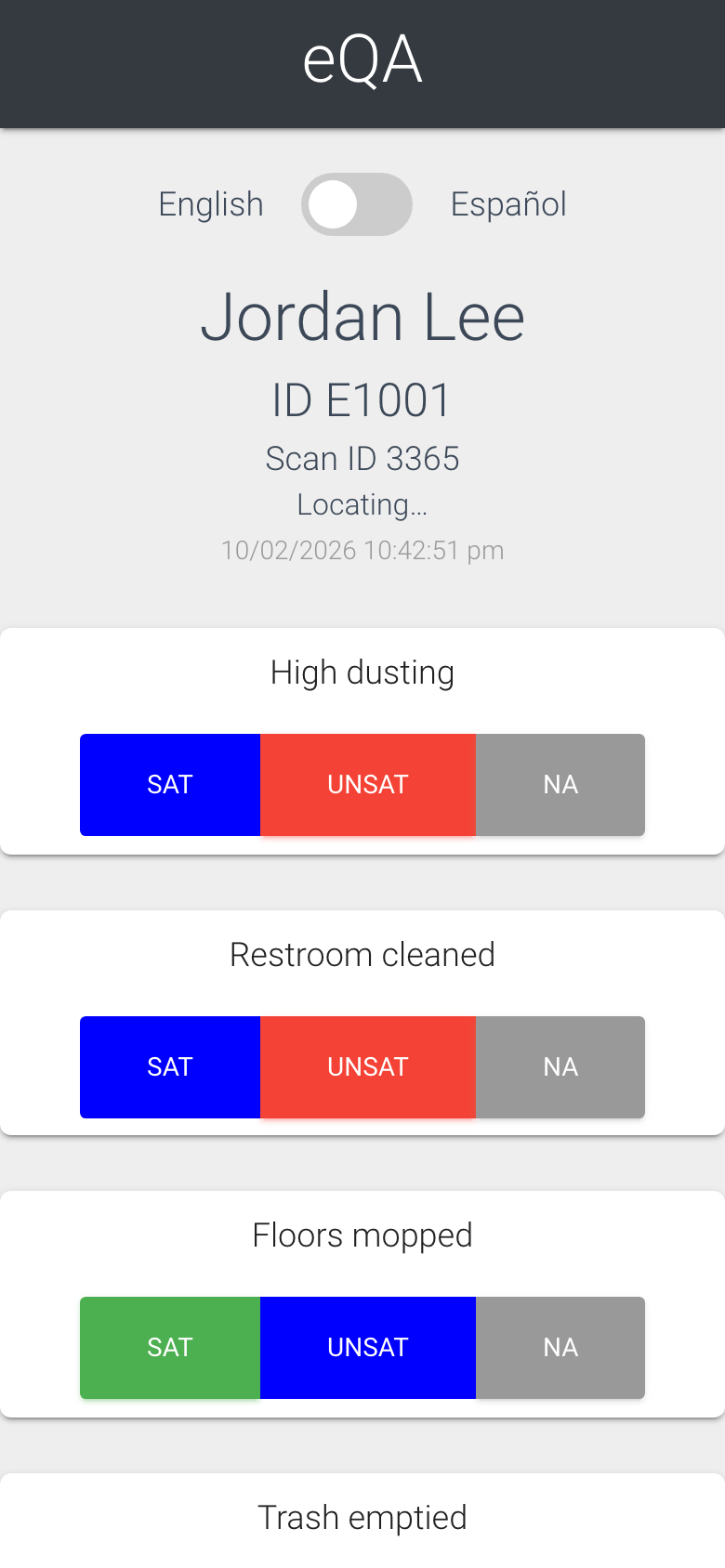
eQA Task List (electronic Quality Assurance) is how managers check an employee’s work in a consistent way. A manager scans the employee’s code, answers a short list of checks on the phone, and the result is logged with a time, a name and an optional photo. These are the words you will see on the screens and in the reports.
Every check gets one answer: Sat, UnSat or NA
The words
QA. One scan of an employee’s code with the checks answered and submitted. It belongs to the employee who was checked and to the manager who did the checking. A QA can carry up to 25 checks.
Check. One item on the list the manager answers during a QA, for example “Restroom cleaned”. On the Employee List the Checks column is how many checks that employee has on their list.
Sat / UnSat / NA. The three answers for a check. Sat means satisfactory, UnSat means unsatisfactory, NA means not applicable this time. Reports count Sat and UnSat; NA is shown separately and does not count against anyone.
Sat Ratio. Sat checks divided by all Sat and UnSat checks, shown as a percentage. Close to 100% is good. A perfect 100% every day can also mean the checks are not being looked at closely.
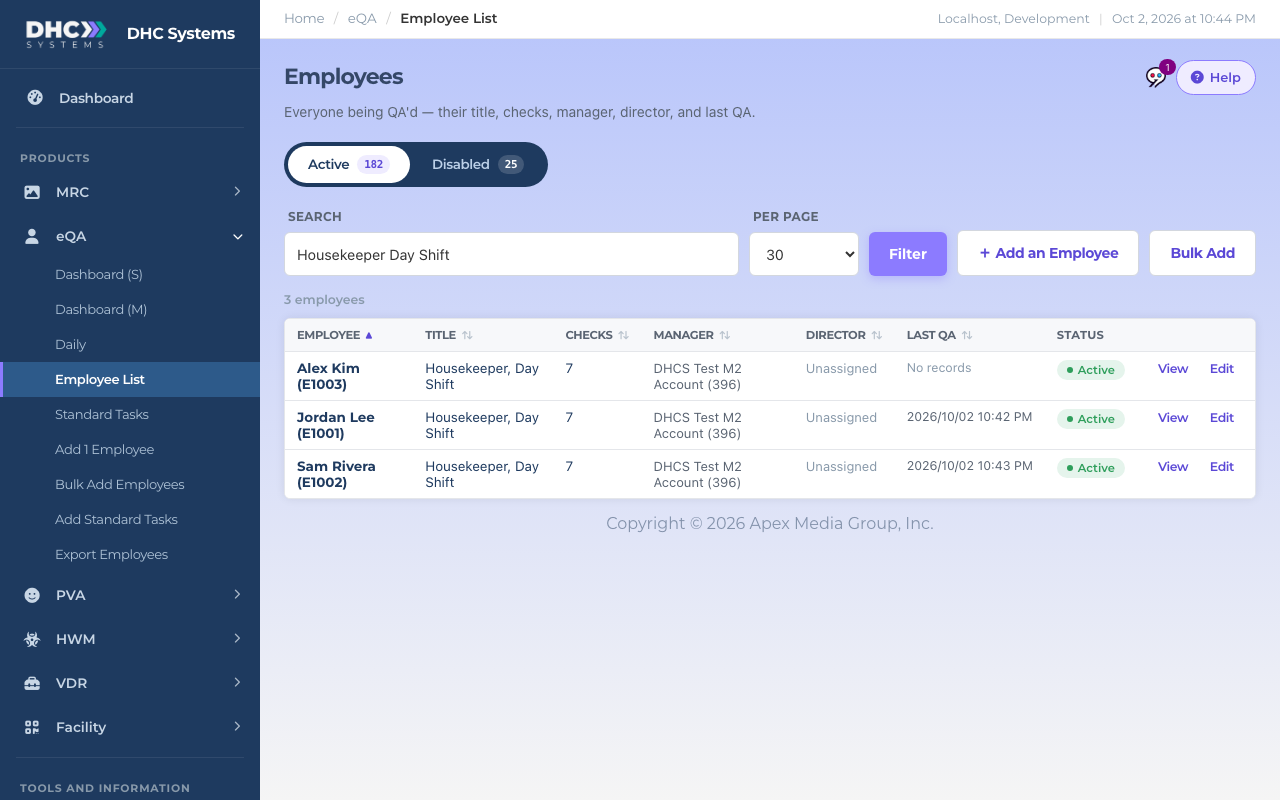
Standard Task (also called a Standard Title or standard task list). A reusable list of checks with a name, such as “Housekeeper, Day Shift”. Give an employee that title and they get that list of checks.
Employee. The person being checked. Each employee has a name, an Employee ID (badge or payroll number) and a Scan ID, the number inside their code. The Scan ID never changes, so a printed code keeps working even if the name is corrected later.
uCode. The universal QR barcode that goes on a badge. One uCode opens every DHC Systems product set up for that person. For most employees that is just eQA, so a scan opens the eQA form straight away. See “What is a uCode (Universal Barcode)?” in the Facility section.
Manager and Director. On the Employee List, Manager is the person the employee reports to and Director is that manager’s director. On the phone form, the manager doing the QA types their own name and ID under Your Name and Your ID Number.
Last QA. The date and time of the most recent scan of that employee’s code.
Fast QA. Two QAs logged by the same manager only seconds apart. The reports flag them so a Director (M2) can see whether checks are being rushed.
Images. Photos or short videos attached to QAs. A company can make a photo optional or required under Product Settings.
Active and Disabled. An active employee’s code accepts scans. A disabled employee’s code stops accepting scans until a Director (M2) enables them again. Standard Tasks can be disabled the same way, which only stops them from being assigned.
One Standard Title, seven checks, three employees on it
Where you will meet them
Employee List shows Employee, Title (their Standard Title), Checks, Manager, Director, Last QA and Status.
Standard Tasks shows Standard Title, Checks and how many Employees are on each one.
The Dashboard (S), Dashboard (M) and Daily reports use QA’s, Checks, Sat, Unsat, NA, Images, Sat Ratio and Fast QA’s as tile and chart names.
The Employee List uses most of these words in its column headers
Tips
Every page has a Help button at the top right. It explains that page’s columns in a sentence or two.
Older documents sometimes say “Standard Tasks” for the list and “Standard Title” for its name. They are the same thing: the title is the name of the list.