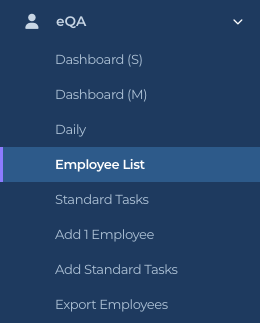
Dashboard (M) is today’s view for managers. It has the same tiles as Dashboard (S), and adds the people: which employees were checked, which managers did the checking, and any Fast QAs. It is for M1 accounts and Directors (M2); workers do not see it. Open it from eQA, then Dashboard (M).
Dashboard (M) appears for M1 accounts and Directors (M2)
How to open and read it
Click eQA in the sidebar, then Dashboard (M).
Wait a few seconds for the Power BI report to load. Leave the toggle on Power BI.
Keep Power BI selected
Hover over a chart point or a table row for the detail. Click a bar in QA’s of Employees or a row in QA’s By to filter the rest of the page to that person; click it again to clear.
Inside the report this page is called Manager
What the visuals mean
Inside the report the page is titled eQA – electronic Quality Assurance – Manager. Everything is for today.
Daily QA’s (top left). QAs by hour of today, midnight to midnight.
Daily Checks by Sat vs Unsat (below it). The checks inside those QAs by hour. Green is Sat, red is Unsat, grey is NA.
QA’s and Images (teal tiles). QAs completed today and photos or videos attached today.
Checks (teal), Sat (green), Unsat (red) and NA (grey) tiles. All checks answered today and how they split. Sat plus Unsat plus NA equals Checks.
Sat Ratio (gauge). Sat divided by Sat plus UnSat, as a percentage.
QA’s of Employees (bar chart, top right). Employees checked today, longest bar first. A quick way to see who has been QA’d and who has not.
Fast QA’s (table, bottom left). Pairs of QAs by the same manager only seconds apart. Columns: Timestamp 1, Timestamp 2, Time Diff. (seconds between them), Employee Name 1, Employee Name 2 and Check By (the manager’s ID). Empty is good.
QA’s By (table, bottom right). One row per manager who did checks today: Check By Name, By ID, QA’s, Checks and that manager’s Sat Ratio, with a Total row at the bottom.
Who can do this
M1 accounts and Directors (M2). Workers (IC accounts) see Dashboard (S) only.
Tips
The Check By Name in the QA’s By table is whatever the manager typed under Your Name on the phone form. If the same person shows up twice with slightly different spellings, ask them to type it the same way each time, or fill in the Manager on the employee’s record so it is prefilled.
A long Fast QA’s list usually means someone is tapping through checks without looking. Open Daily and the details tab to see the individual QAs.
Dashboard (M) is today only. For yesterday or a range, use Daily.