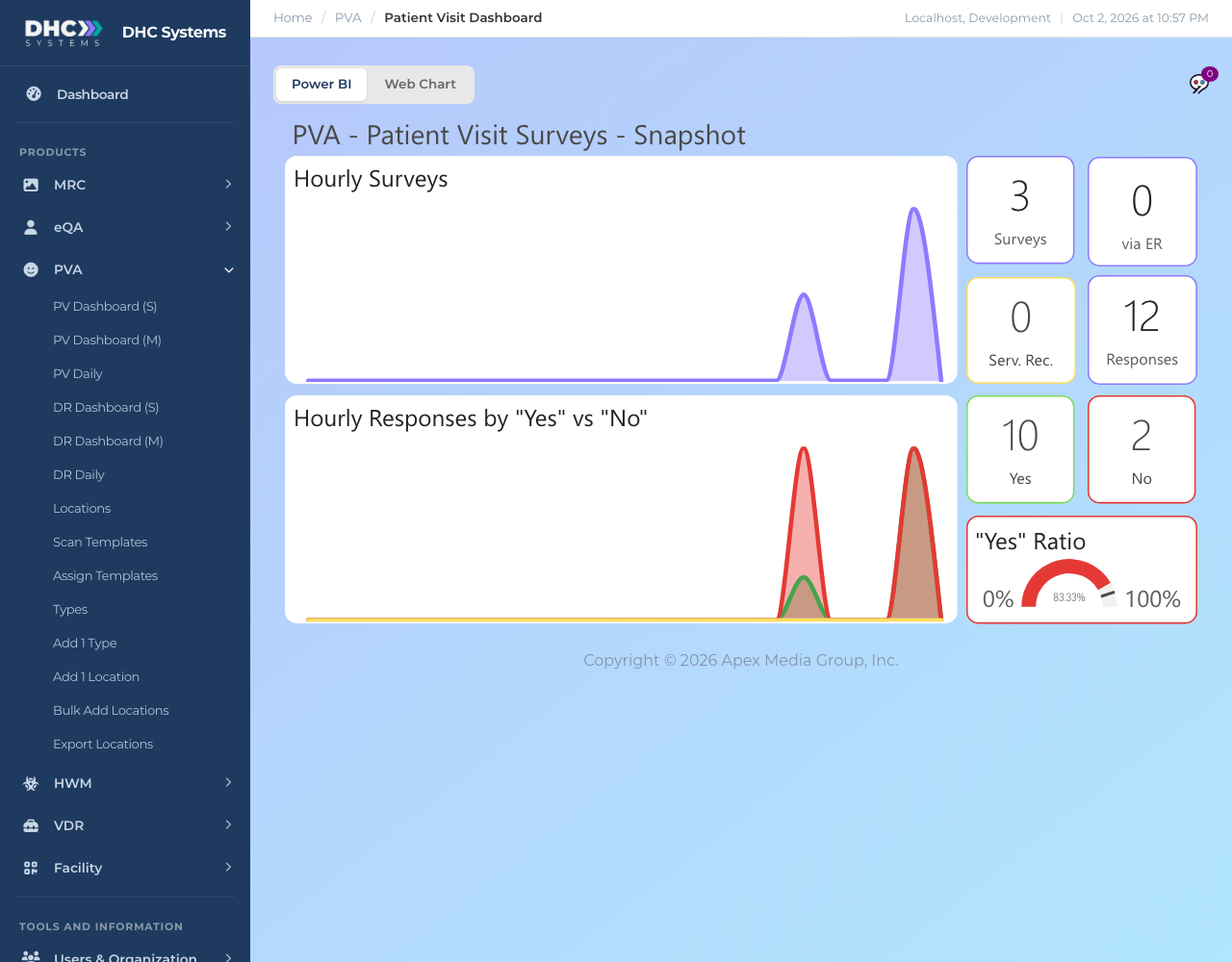
PV Dashboard (S) is the one page view of today’s patient visit surveys. It answers three questions fast: how many surveys have been done today, when, and how positive the answers were. Every account type can open it, which makes it the page to leave up on a shared screen.
Today’s patient visit surveys for the whole company
How to open it
In the sidebar click PVA, then PV Dashboard (S).
Wait a few seconds for the report to draw. Leave the toggle on Power BI. (Web Chart is a placeholder for a future interactive view.)
What is on the page
Hourly Surveys: a line for today, midnight to now, showing how many surveys were completed in each hour.
Hourly Responses by “Yes” vs “No”: for the same hours, the number of Yes answers (green) and No answers (red). A tall red peak is an hour worth looking into.
Surveys: total patient visit surveys so far today.
via ER: surveys where the ER question (question 8 on the standard form) was answered Yes.
Serv. Rec.: surveys where the service recovery question (question 7 on the standard form) was answered Yes.
Responses: total individual answers today.
Yes and No: how many answers were Yes and how many No. Third button answers such as N/A or Patient Unsure are not in either.
“Yes” Ratio: Yes divided by Yes plus No, as a gauge. Higher is better.
Who can do this
Everyone: IC accounts, M1 accounts and Directors (M2). The numbers always cover your whole company for today.
Tips
Hover a point on a chart to see the exact hour and count.
The icons at the top right of each chart let you focus on one chart or open it full screen.
Want names, locations or a date range? Those are on PV Dashboard (M) and PV Daily, for M1 accounts and Directors (M2).
On a phone this link opens a stacked mobile layout of the same tiles.